Attendance
tracking for offices
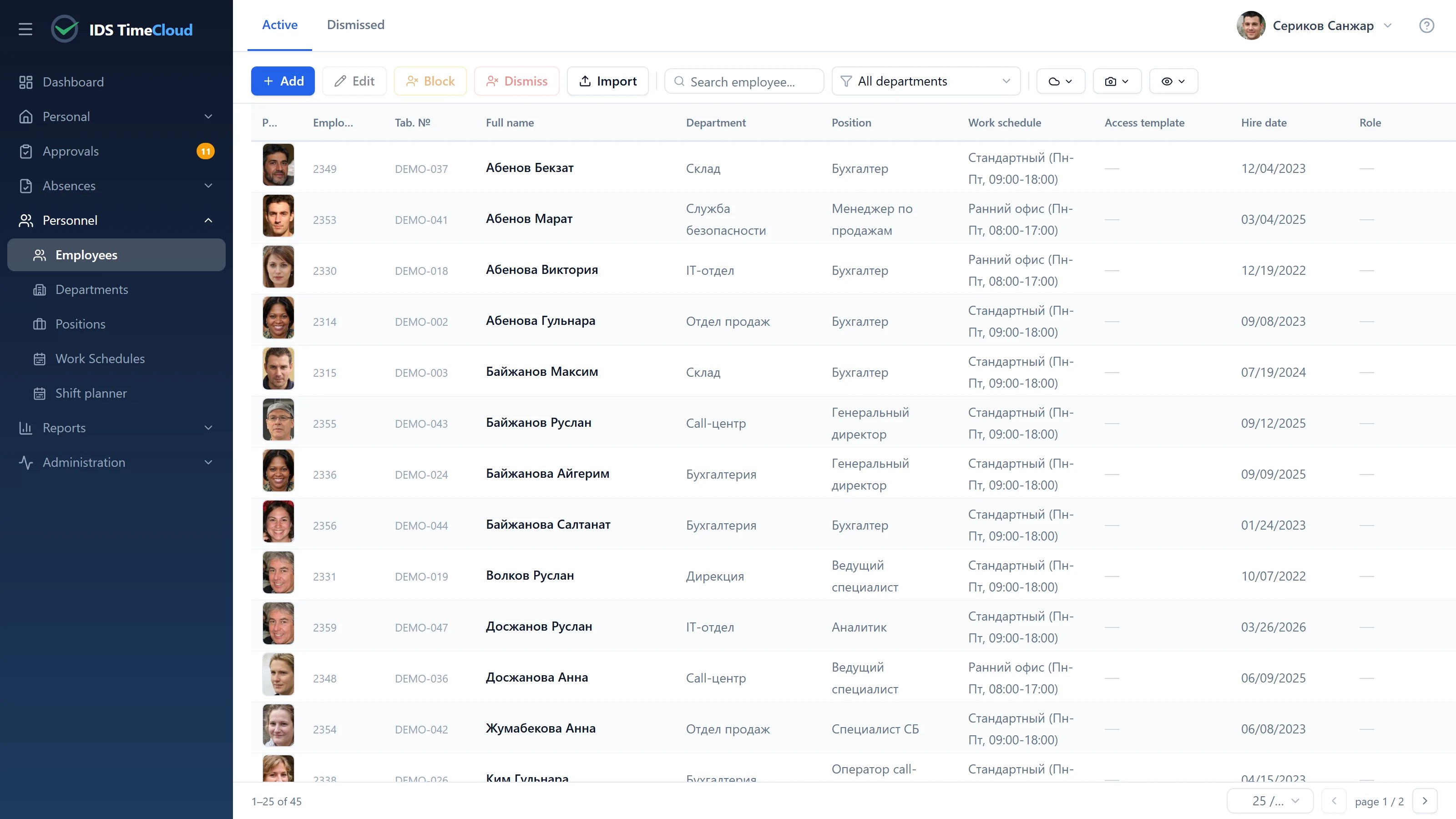
Clock-ins collect themselves — from a QR code, a phone or a terminal. Timesheets, requests and reports are ready without manual work.
One question decides whether you need any hardware
Then a QR code on the wall is enough
Print a QR code and hang it at the entrance — employees clock in with their phones. We show how it works below.
Then install a face-recognition terminal
A Hikvision or ZKTeco terminal recognises the employee by face, no phone needed. Mount it wherever suits you:
Four problems solved in a single day
This is what time tracking looks like in most companies — and what it looks like with IDS TimeCloud
Timesheets are built by hand in Excel at month end — from memory and the security log
The timesheet builds itself from check-ins: hour norms, overtime and leave already counted. Export to Excel in one click.
Nobody notices late arrivals and early leaves in time — they surface when it is already too late
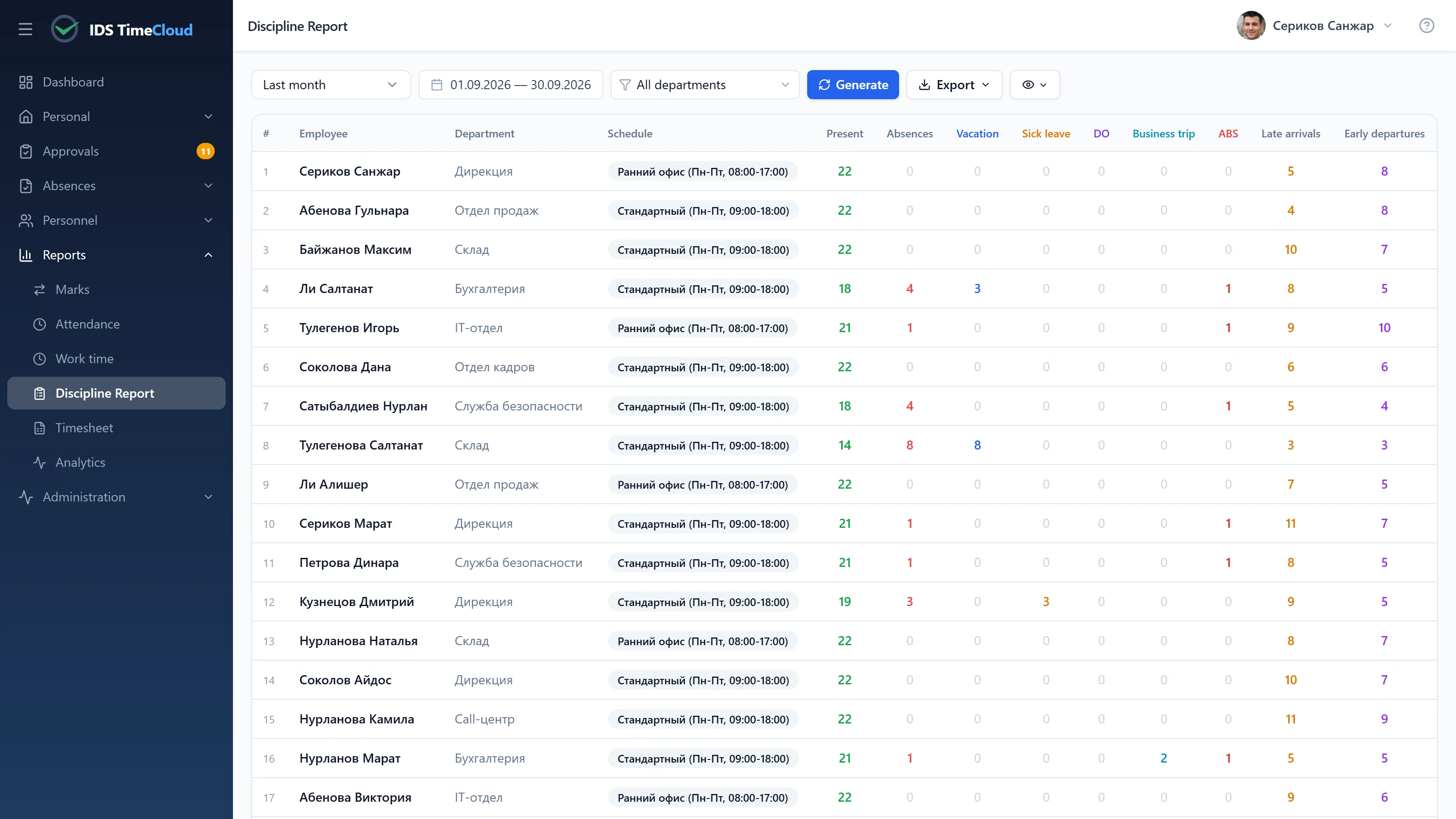
Managers see department presence in real time and get a discipline report broken down by day.
Employees clock in for a colleague — with a card, a signature in the log or simply by word of mouth
Face recognition at the terminal or a check-in from the employee’s own phone inside the site geofence. Clocking in for someone else is not possible.
Leave and days off are approved in chats and on paper, remaining days are counted by hand
Requests are submitted in the app, managers approve in one click, leave and time-off balances are calculated automatically.
Clock in with a QR code and a phone
No terminal or installation needed to get started. Print a QR code from your account, hang it at the entrance — and employees clock in with the mobile app.
Print the QR code on any printer and hang it at the entrance, reception or workshop.
Employees scan the code in the IDS TimeCloud app — the clock-in or clock-out lands in the system instantly.
Geofencing prevents cheating: clock-ins only work near the location, and each code is tied to a specific entrance.
 IDS TimeCloud
Terminals we connect
We help you pick a model for your entrance — turnstile, door or wall — and connect it to your account in a day.

ZKTeco Eface10 500 Wifi ID
Contactless face-recognition terminal, up to 500 users, TCP/IP and Wi-Fi connectivity.

Hikvision DS-K1T343EWX
4.3" touchscreen, two 2MP cameras, face recognition at 0.3–1.5 m in under 0.2s with 99% accuracy.

Hikvision DS-K1T342MX-E1
Outdoor IP65 terminal, up to 1,500 faces and 3,000 cards, 4.3" screen, recognition under 0.2s with over 99% accuracy.

ZKTeco SpeedFace-V5L
Multimodal terminal: face, palm, fingerprint and RFID card; up to 6,000 faces, recognition up to 3 m, 5" screen, TCP/IP and Wi-Fi.
Compare the three ways to clock in
A table for those choosing: what you need, how it prevents buddy punching, what about connectivity and who each method suits.
QR code
A poster at the entrance + the employee’s phoneA printed QR code and the mobile app on employees’ phones
10 minutes: create a point, print, hang it up
Check-ins are accepted only from the linked phone and only next to the point
Needs internet on the employee’s phone
Offices, small teams, temporary and rented premises
Geolocation
Check in from the app within the site radiusJust the mobile app and a geofence set for the site
Right after installing the app
Check-ins are accepted only inside the set radius, coordinates are logged
Needs internet on the employee’s phone
Field staff, crews on sites, couriers and sales reps
Biometric terminal
Hikvision or ZKTeco at the entranceA face-recognition terminal connected to the internet. Employees don’t need a phone
1 day: mounting, connection, employee upload
Face recognition: nobody can clock in for someone else, every check-in has a photo
Works offline, events are delivered once the connection is back
Manufacturing, warehouses, gated sites with heavy foot traffic
Everything you need — in one place
Time tracking, presence and HR processes in one place
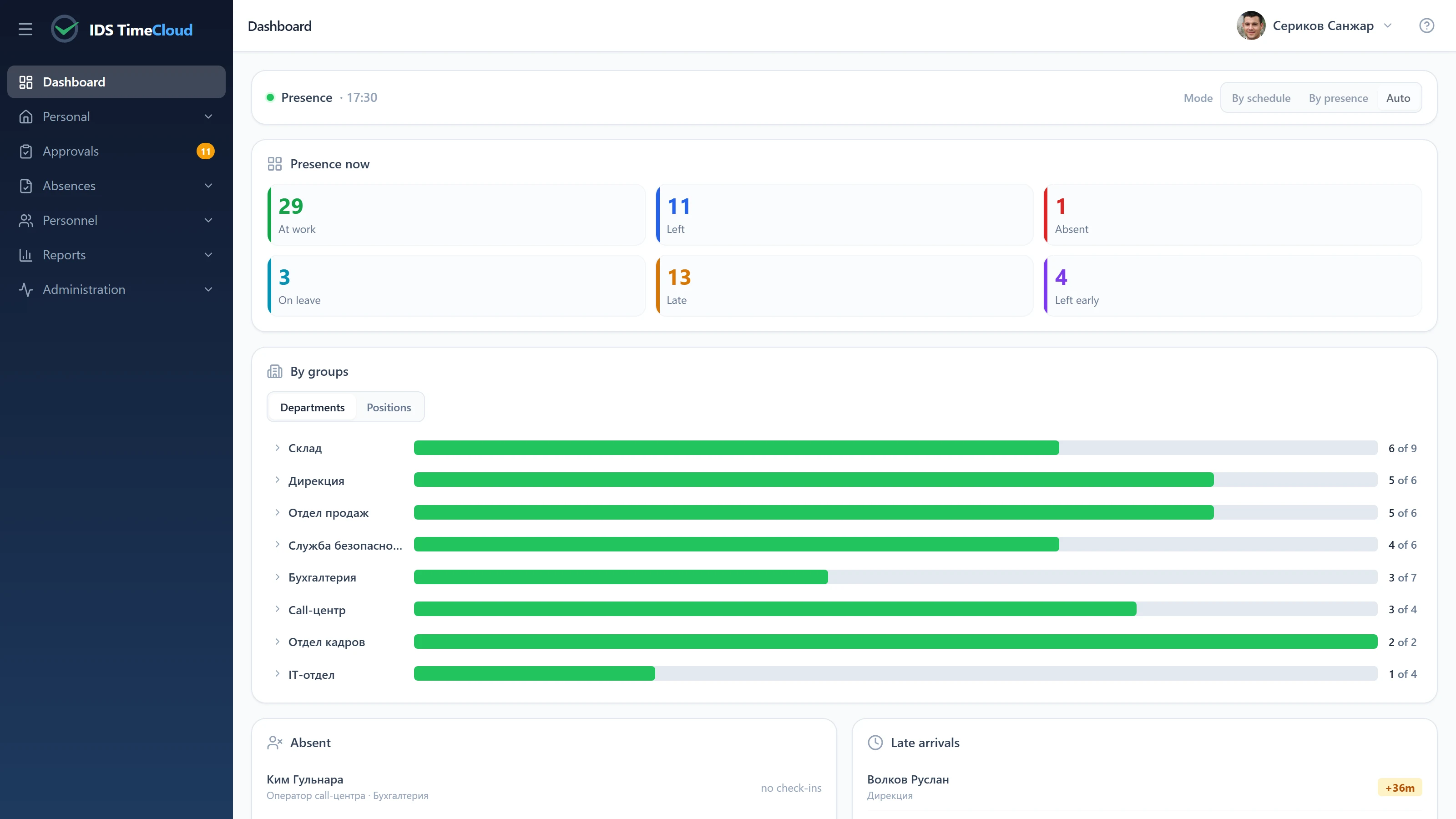
Presence in real time
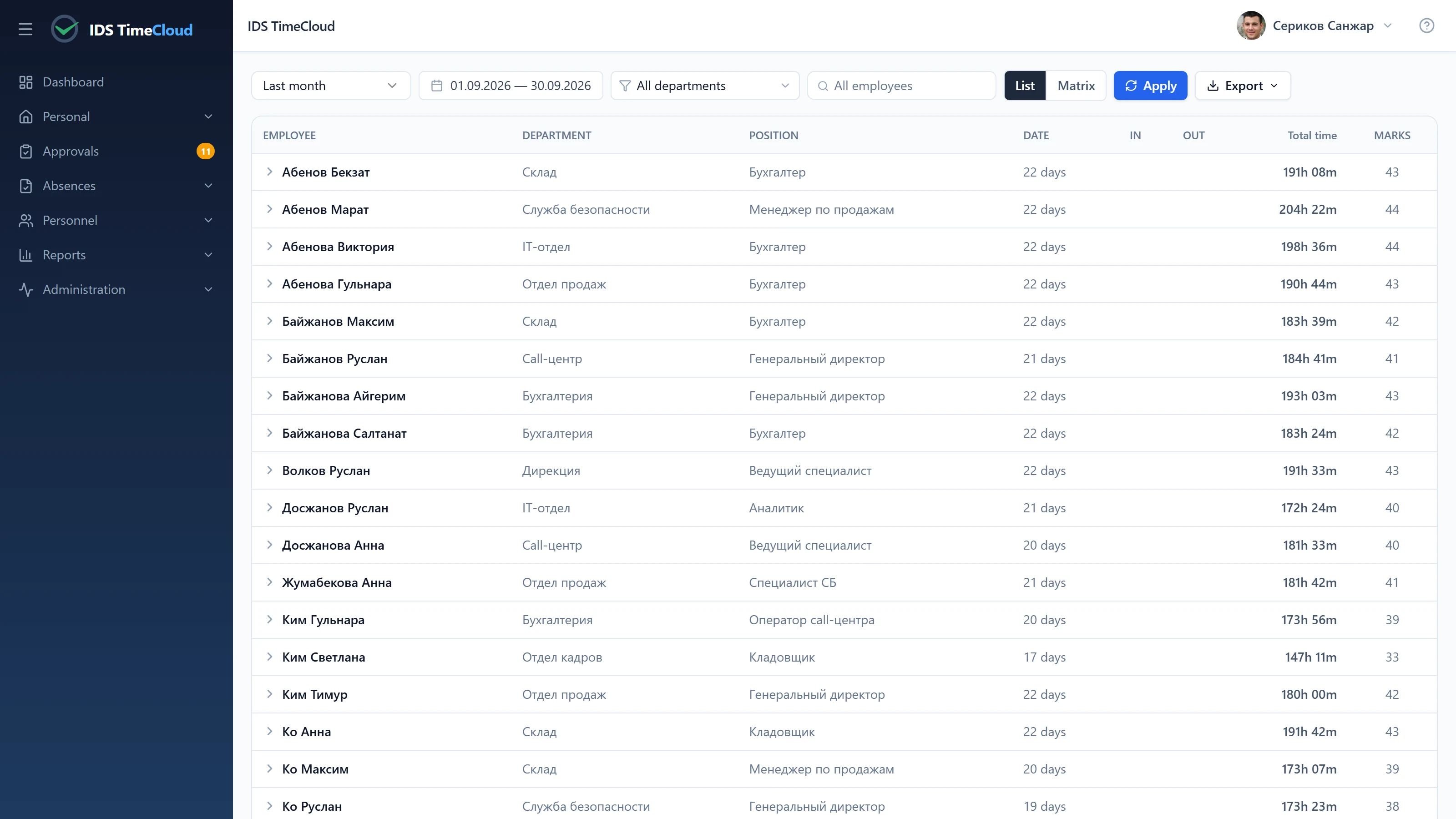
Who is in, who is late, who is on leave — by department and location. Clock-ins from terminals and phones appear in your account instantly.
Timesheets and overtime
Hours norms, overtime, time off and its balance are calculated automatically for every employee.
Schedules and shifts
Shift, flexible and rolling schedules, individual norms, change history per employee.
Reports for managers and accounting
Discipline by day, attendance by department, working time for a period. Any report exports to Excel.
Leave requests
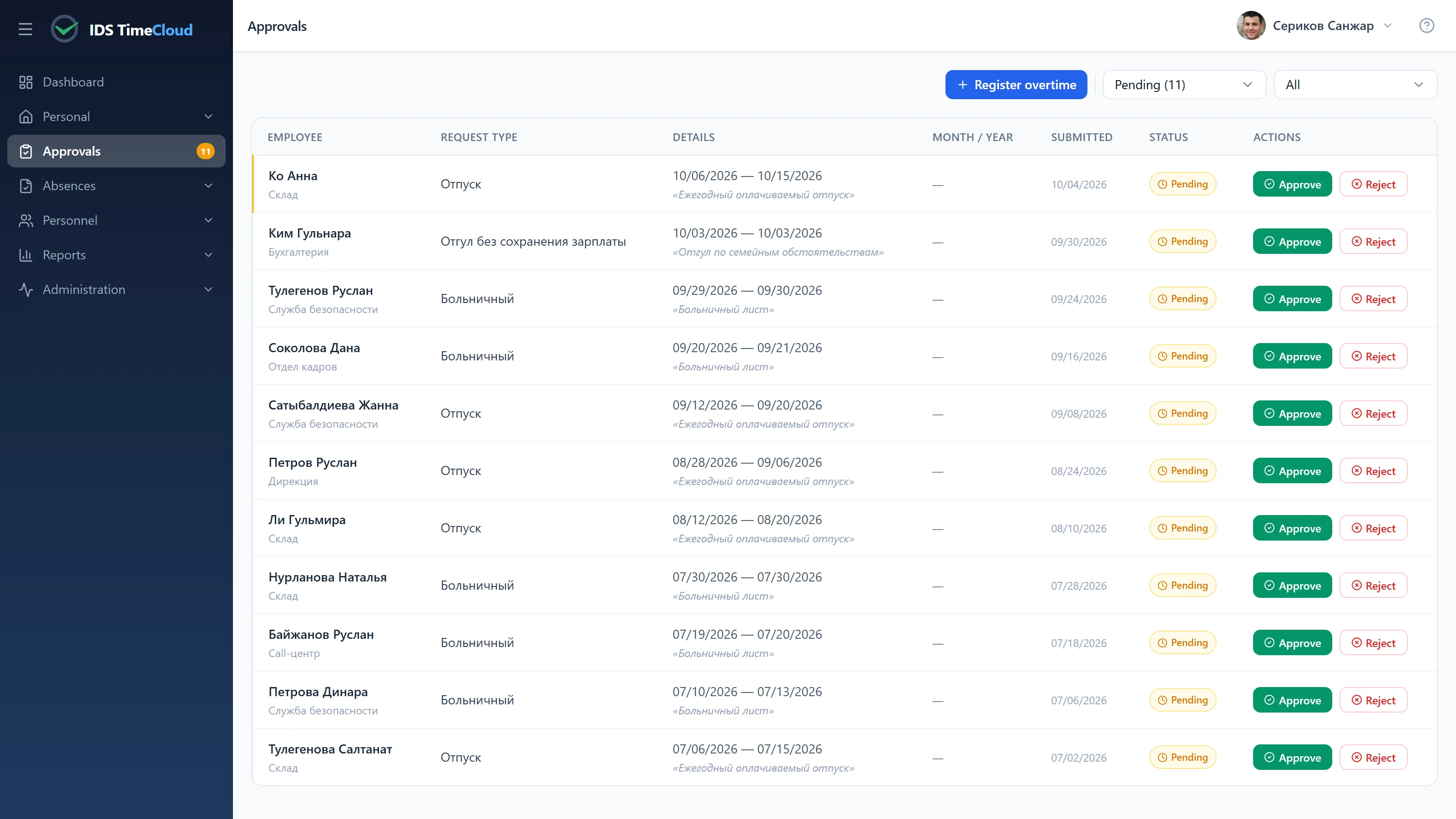
Leave, sick days, business trips and time off: submitted in the app, approved by the manager in one click.
Several companies in one account
Holding mode: a chain of locations or a group of legal entities under one login, with separate timesheets and reports per company.
Integrations
1C and Bitrix24, an open API and webhooks — clock-in data flows into your systems without manual copying.
Everything at a glance
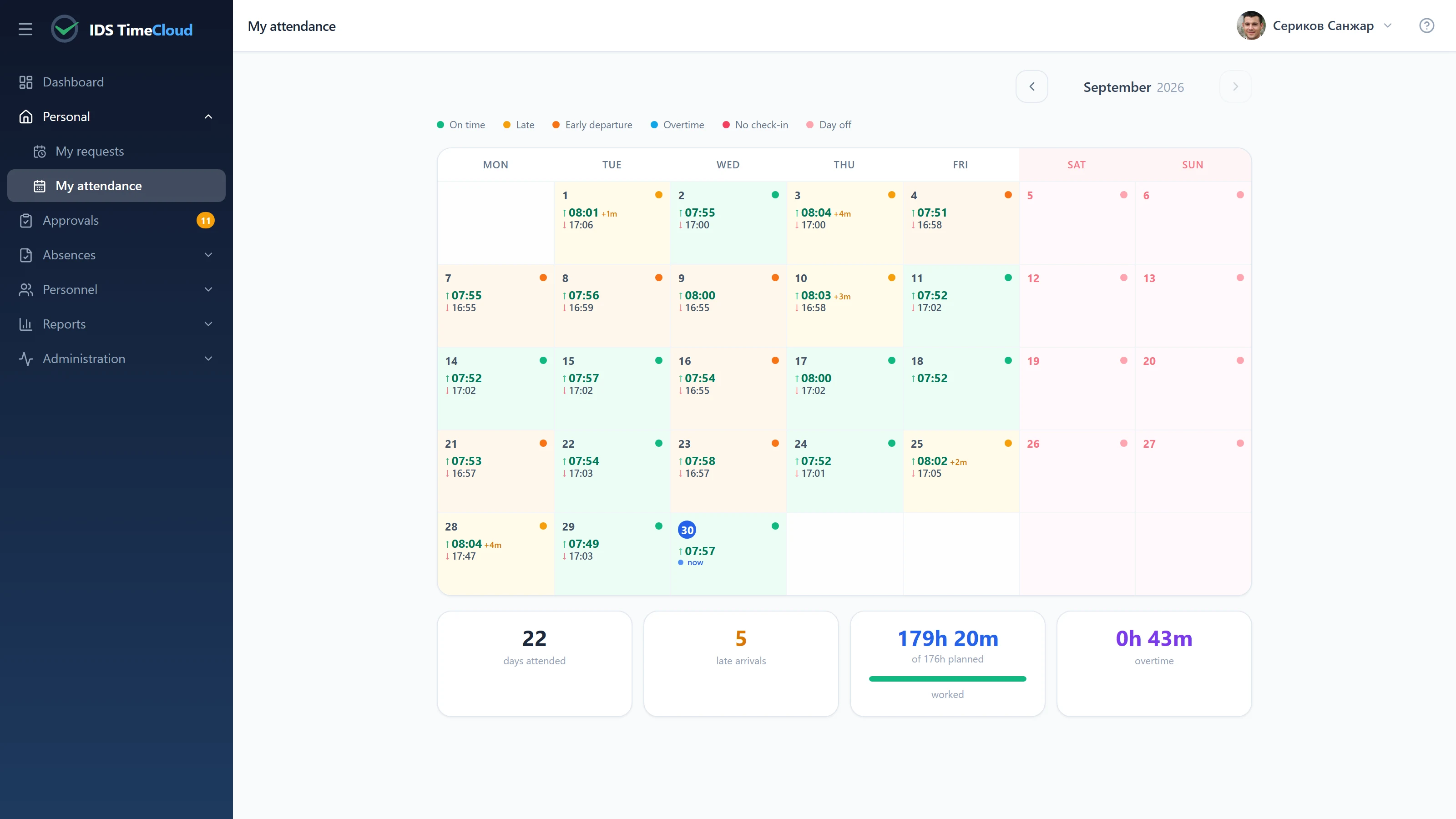
A thoughtful interface with no extra clicks — employees and managers find what they need right away
Built around your business, not the other way round
One platform, different scenarios: the check-in method and schedules are chosen to match how your people actually work
Restaurants and retail chains
Multiple locations, shift schedules, staff turnover. All locations in one holding dashboard, a separate timesheet per location, new staff added in a minute.
Terminal or QR at the entranceManufacturing and warehouses
A gate, hundreds of people per shift, overtime. Biometrics at the entrance, hour norms and overtime in reports, no events lost even without internet.
Biometric terminalOffices and branches
Flexible hours, late arrivals, leave requests in chats. QR at reception, requests and approvals in the app, a ready timesheet for accounting at month end.
QR codeConstruction and field crews
Sites without a fixed entrance, crews spread across locations. Check-in from the phone inside the site geofence, managers see who is on shift and where.
GeolocationiOS and Android
for every employee
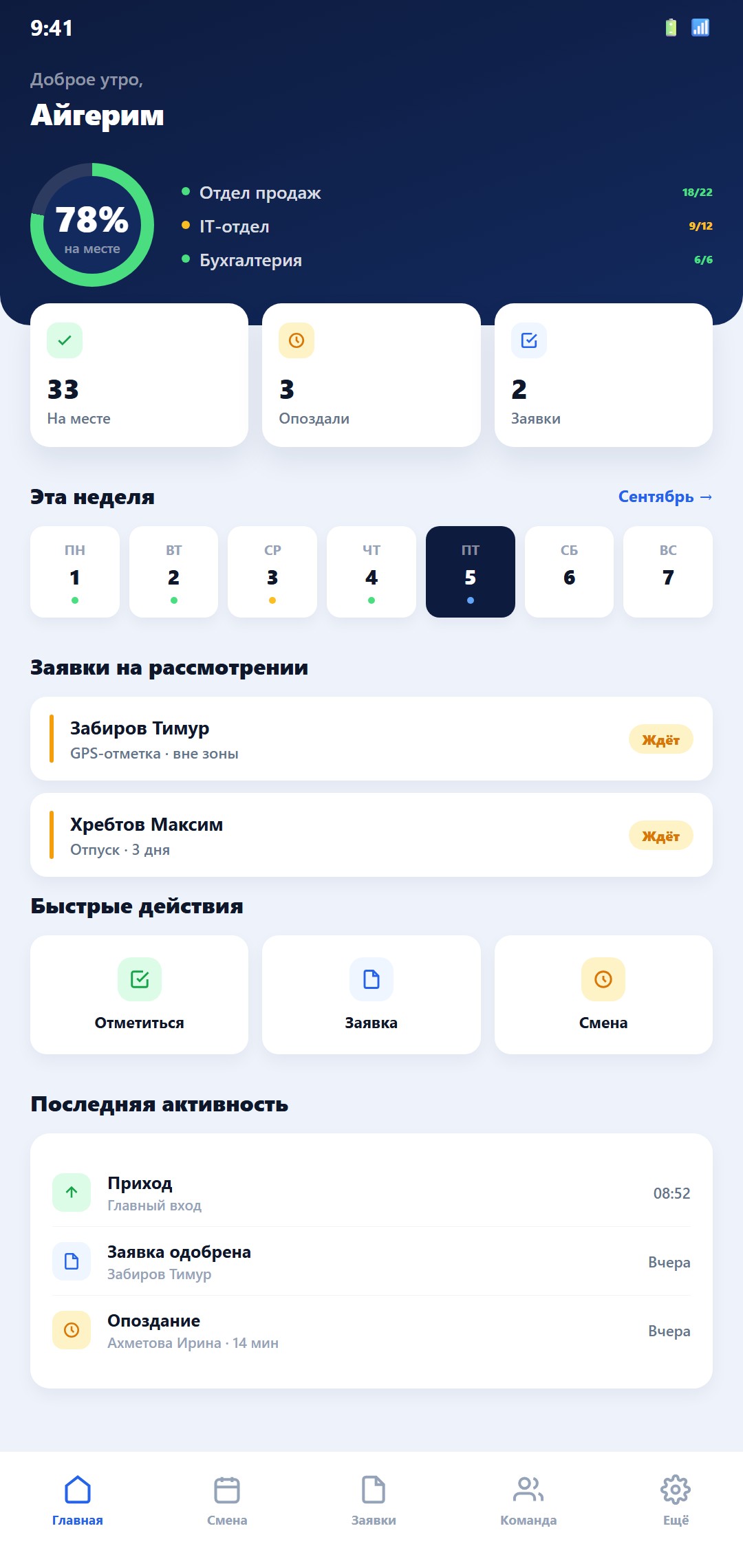
Employees clock in, see their timesheet and submit requests from their phone. Managers approve them and watch department presence.
Dashboard & status
Presence, department, key figures for the day
My check-ins & timesheet
Entry/exit history with progress against the hours norm
QR and geo clock-in
Scan the code at the entrance or clock in within the site radius
Leave requests
Submit and track right from your phone
Push notifications
Instant alerts on iOS and Android
Three steps to launch
No lengthy rollout — the system is ready to work on day one
Create a clock-in point
A QR code on the wall or a terminal at the entrance — the point is created in your account in a couple of minutes.
Add employees
Upload a list from Excel or create them manually. Assign departments, positions and access rights.
Work with your data
Check-ins, reports, requests and notifications — available in the browser and the mobile app right away.
Your employees’ data is protected
Servers in Kazakhstan
Data is stored in a data centre in Almaty and processed under the Law of the Republic of Kazakhstan “On Personal Data and Their Protection”.
Daily backups
Automatic backups of the database and photos, with copies kept separately from the main server.
Roles and audit log
Everyone sees only their own: permissions by role and department, every action recorded in a tamper-proof audit log.
Encryption and on-device biometrics
Connections are protected with TLS 1.2+, passwords are stored as hashes. The face template is computed and kept by the terminal itself.
Frequently asked
Let’s discuss your rollout
Leave a request — we’ll call you back, help choose a plan and set the system up for your processes.
Or call us: +7 700 357 35 57 (same number for WhatsApp)
Get started today
Sign up, print a QR code and collect your first clock-ins today. Support at every step.